Most DAO websites are built wrong.
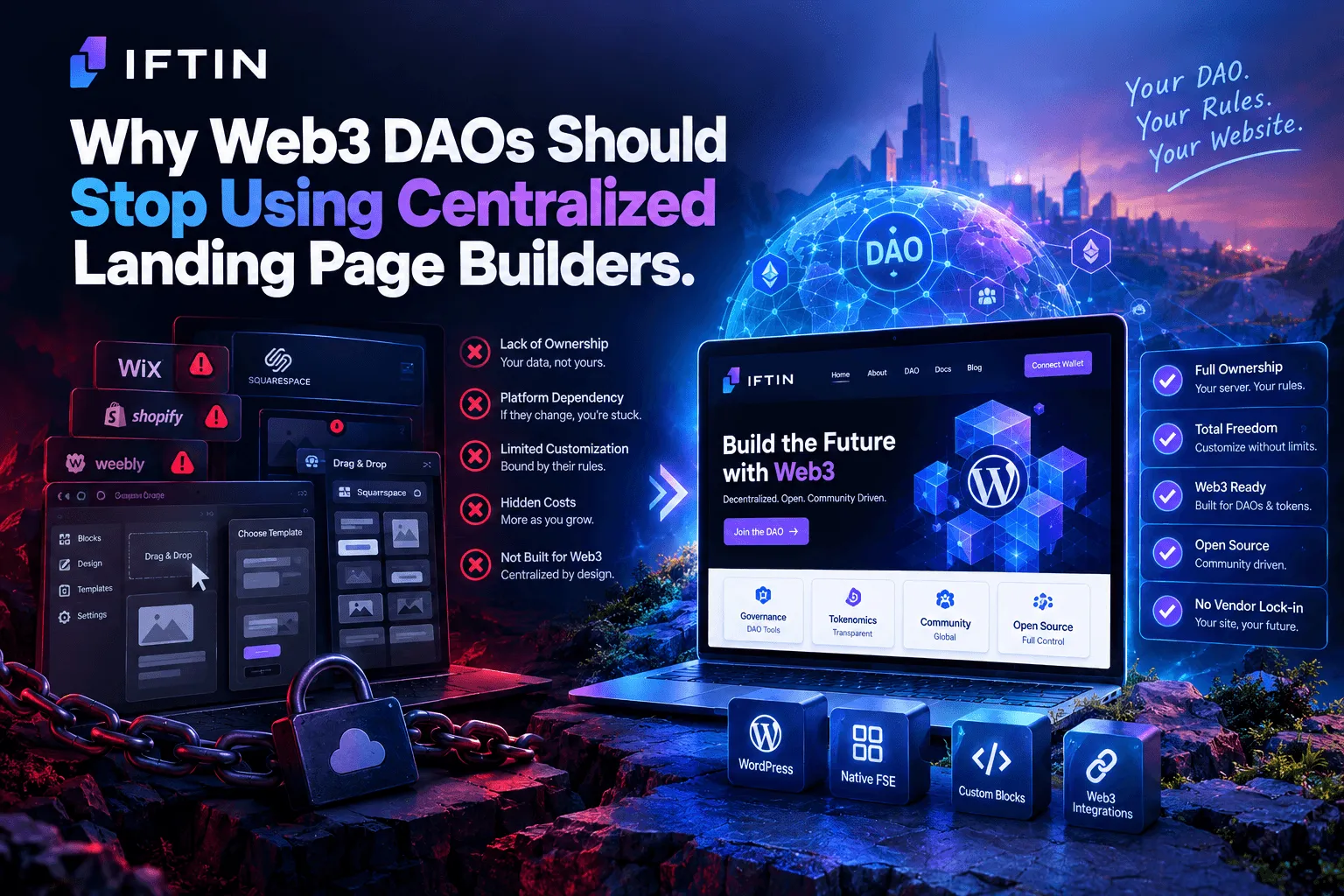
Not wrong in the sense that they don’t work — they load, they render, they convert visitors into community members. Wrong in the sense that the infrastructure contradicts the product. A decentralized autonomous organization running its public presence on a proprietary SaaS platform, with content locked in a database controlled by a third party, under terms of service that can change without notice.
The irony is usually unintentional. DAOs move fast, the founding team grabs whatever tool ships quickest, and the infrastructure debt compounds quietly until migrating becomes a project nobody wants to own.
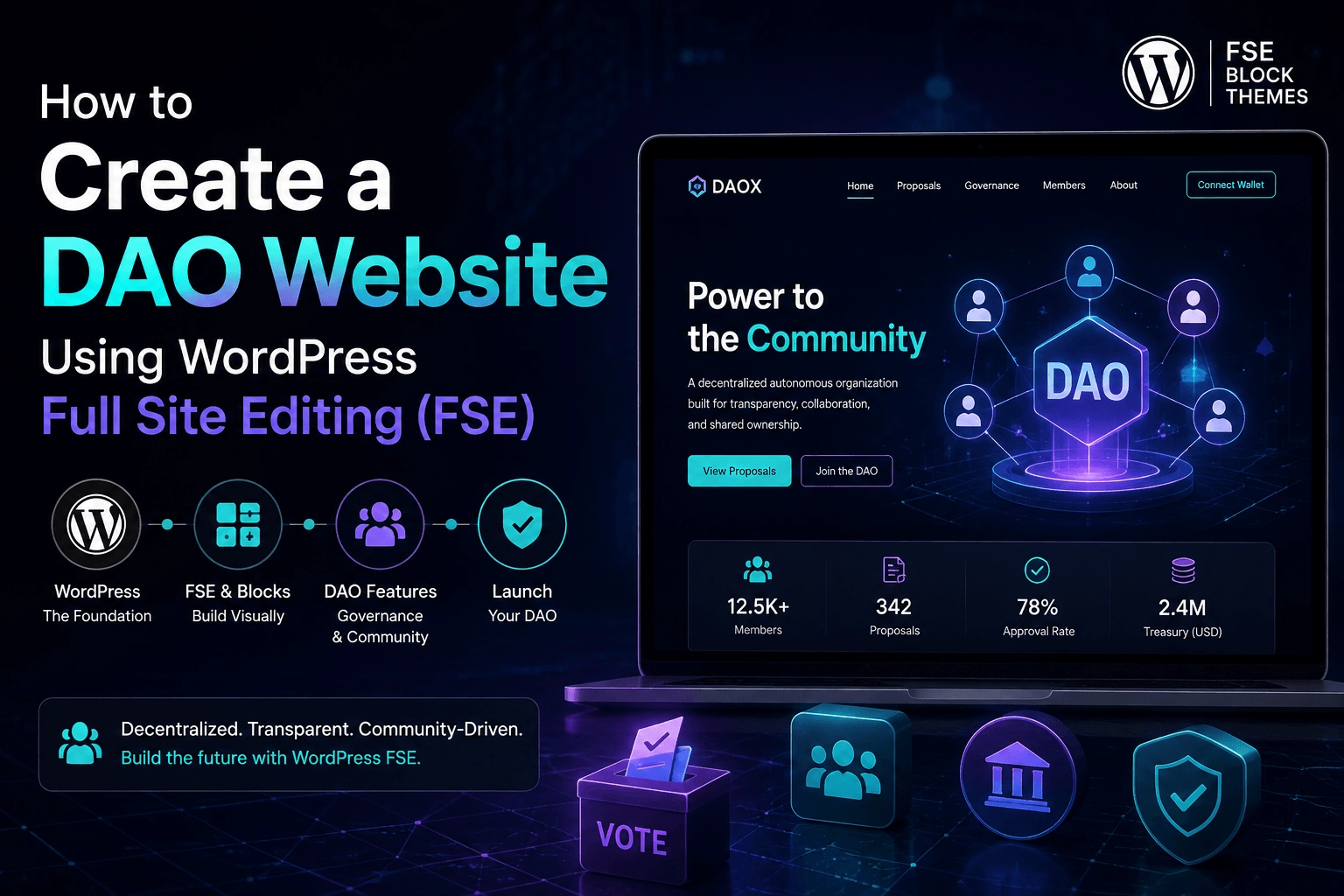
WordPress Full Site Editing offers a different path. This guide covers how to build a DAO website that’s fast, maintainable, genuinely ownable, and architecturally consistent with what DAOs are actually trying to do.
What a DAO Website Actually Needs
Before touching any code or opening any editor, it’s worth being specific about the requirements. A DAO website isn’t a standard corporate site with a blockchain logo dropped in.
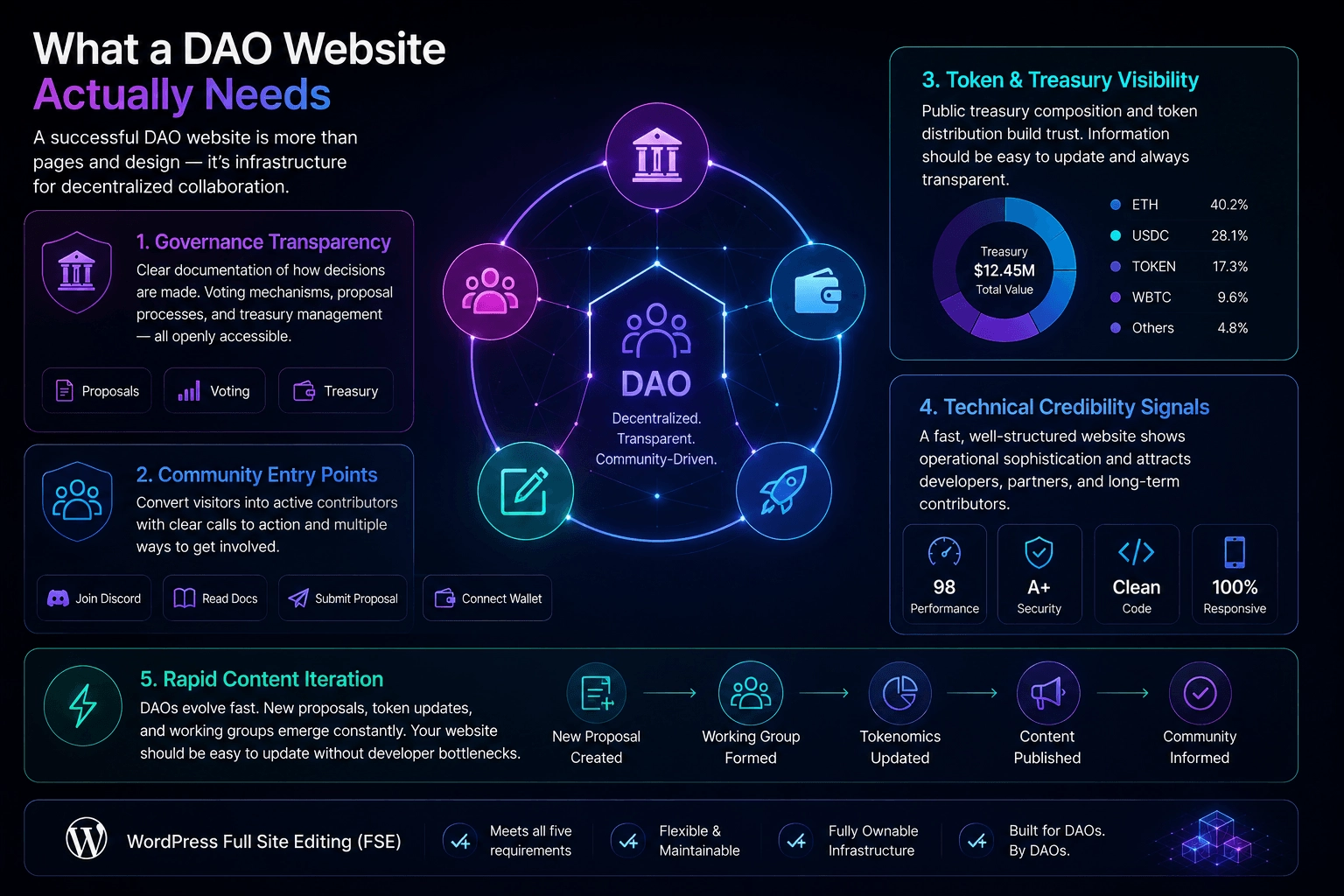
Governance transparency. Members and prospective contributors need to understand how the DAO makes decisions. This means clear documentation of voting mechanisms, proposal processes, and treasury management — usually across several interconnected pages.
Community entry points. A DAO grows through participation. The website needs to convert curious visitors into active contributors — with clear calls to action for joining the Discord, reading the documentation, submitting a proposal, or connecting a wallet.
Token and treasury visibility. Serious DAOs publish their treasury composition and token distribution publicly. This information changes frequently and needs to be easy to update without touching a codebase.
Technical credibility signals. The developer community evaluates DAOs partly on operational sophistication. A well-structured, fast-loading website signals organizational competence in ways that matter to the people you most want to attract.
Rapid content iteration. Governance structures evolve. Tokenomics get updated. New working groups form. A DAO website that requires a developer every time the content changes creates a bottleneck that slows governance communication.
WordPress FSE addresses all five of these requirements directly.
Why FSE Specifically
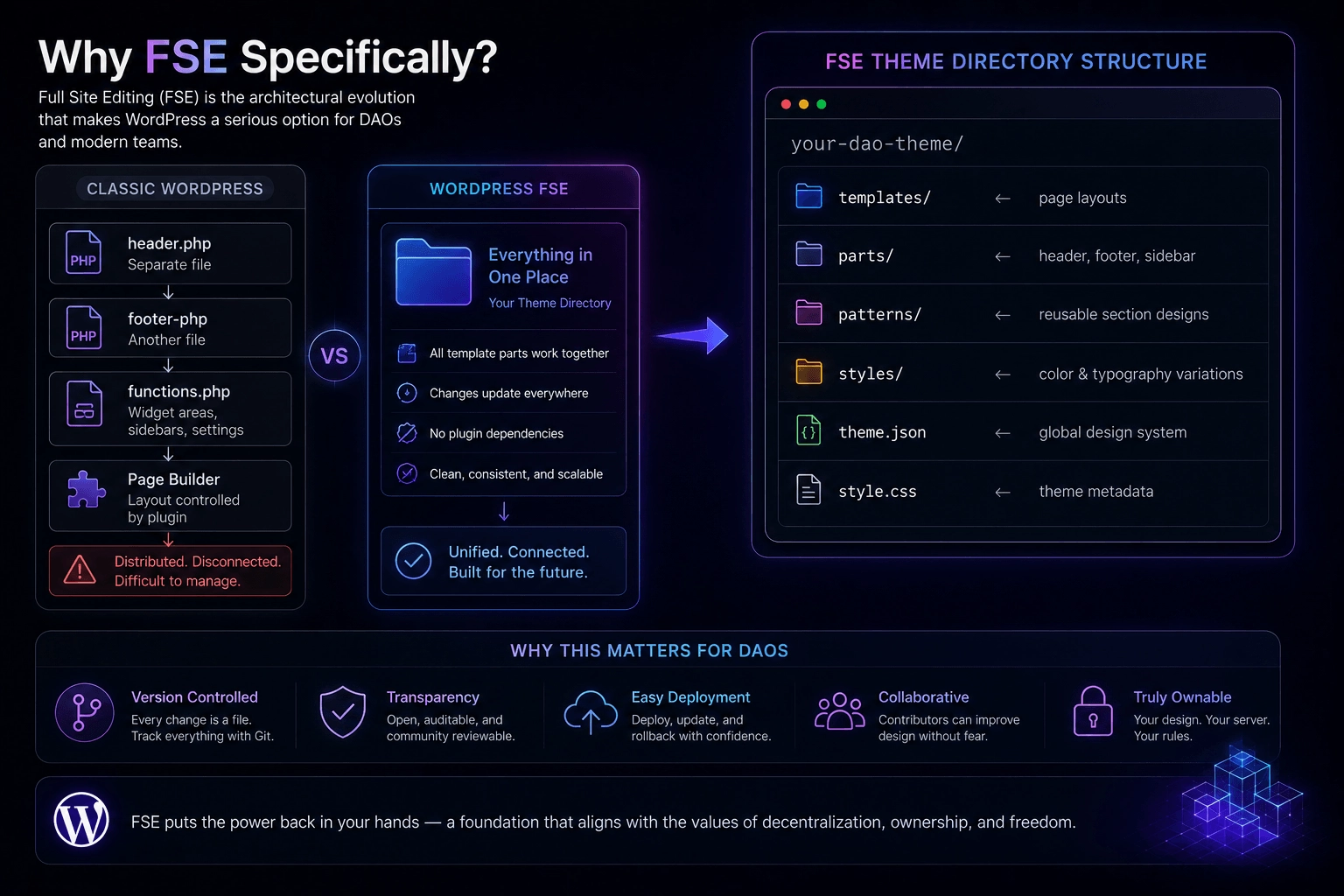
Full Site Editing is the architectural evolution that makes WordPress a serious option for this use case.
The core change is where design decisions live. In classic WordPress, your header is a PHP file, your footer is another PHP file, your sidebar is a widget area defined in functions.php, and your page layout is partially determined by your theme and partially by whatever page builder you’ve installed. The design is distributed across multiple systems that don’t talk to each other cleanly.
In FSE, all of it lives in one place — your theme directory:
your-dao-theme/
├── templates/          ← page layouts
├── parts/              ← header, footer, sidebar
├── patterns/           ← reusable section designs
├── styles/             ← color and typography variations
├── theme.json          ← global design system
└── style.css           ← theme metadata
Every design decision is a file. Files can be version controlled, reviewed, deployed, and rolled back. For a DAO that values transparency and auditability, having your website’s design in a Git repository isn’t just convenient — it’s consistent with how the organization operates everywhere else.
Planning Your DAO Website Structure
The pages a DAO website needs fall into predictable categories. Getting the structure right before building saves significant rework later.
Core pages:
Home — The entry point. Should answer three questions in five seconds: what the DAO does, why it matters, and what a visitor should do next. This is conversion infrastructure, not a company history.
About — Mission, values, origin story. Written for the person who’s intrigued but not yet convinced. This page does the trust-building work that lets the rest of the site focus on specifics.
Governance — How decisions get made. Proposal process, voting mechanism, quorum requirements, historical decisions. This page is often the most important signal of organizational maturity.
Treasury — Current holdings, historical allocations, budget categories. Should be updated at least monthly. Design it with that update frequency in mind.
Tokenomics — Distribution, vesting schedules, utility, circulating supply. Keep this honest and plain-language. The community will fact-check it.
Roadmap — Where the DAO is going and how it plans to get there. Use milestone formatting rather than calendar dates where possible — DAOs run on governance time, not product management time.
Documentation — Technical documentation for contributors, developers, and integration partners. Deserves its own template with sidebar navigation.
Blog — Governance updates, working group reports, ecosystem commentary. The ongoing record of what the DAO thinks and does.
Contact / Join — Entry points for different contributor types: developers, researchers, community members, investors.
Setting Up Your Design System
Everything in an FSE theme flows from theme.json. For a DAO website, define your design system here before building a single template.
A DAO visual identity typically needs:
{
  "settings": {
    "color": {
      "palette": [
        { "slug": "background", "color": "#0A0101", "name": "Deep Black" },
        { "slug": "primary", "color": "#7C3AED", "name": "Governance Purple" },
        { "slug": "accent", "color": "#00F0FF", "name": "Neon Cyan" },
        { "slug": "text-primary", "color": "#F8F8F8", "name": "Off White" },
        { "slug": "text-secondary", "color": "#9EAEB8", "name": "Muted Gray" },
        { "slug": "surface", "color": "#111111", "name": "Card Surface" },
        { "slug": "border", "color": "#222222", "name": "Subtle Border" }
      ]
    },
    "typography": {
      "fontFamilies": [
        {
          "slug": "heading",
          "name": "Plus Jakarta Sans",
          "fontFamily": "'Plus Jakarta Sans', system-ui, sans-serif"
        },
        {
          "slug": "body",
          "name": "Inter",
          "fontFamily": "Inter, system-ui, sans-serif"
        },
        {
          "slug": "mono",
          "name": "Space Grotesk",
          "fontFamily": "'Space Grotesk', monospace"
        }
      ],
      "fontSizes": [
        { "slug": "display", "size": "clamp(2.5rem, 5vw, 4.5rem)", "name": "Display" },
        { "slug": "heading", "size": "clamp(1.75rem, 3vw, 2.5rem)", "name": "Heading" },
        { "slug": "body", "size": "1rem", "name": "Body" },
        { "slug": "small", "size": "0.875rem", "name": "Small" }
      ]
    },
    "layout": {
      "contentSize": "52rem",
      "wideSize": "82rem"
    }
  }
}
The monospace font is worth including even if you don’t use it everywhere — governance addresses, proposal IDs, and treasury amounts read better in a monospace face, and having it in your design system means it’s available without extra work.
Building the Templates
For a DAO website, you need at minimum five templates. The pattern that works best separates the template file from the design:
templates/page.html — One line:
<!-- wp:pattern {"slug":"your-theme/template-page"} /-->
patterns/template-page.php — The actual layout:
<?php
/**
 * Title: Default Page
 * Slug: your-theme/template-page
 * Template Types: page
 * Inserter: false
 */
?>
<!-- wp:template-part {"slug":"header","tagName":"header"} /-->
<!-- wp:group {"tagName":"main","layout":{"type":"constrained"}} -->
<main class="wp-block-group">
    <!-- wp:post-content {"layout":{"type":"constrained"}} /-->
</main>
<!-- /wp:group -->
<!-- wp:template-part {"slug":"footer","tagName":"footer"} /-->
The governance and documentation pages deserve their own templates — governance for the two-column layout with a sidebar summary of active proposals, documentation for the sticky sidebar navigation pattern that makes long technical content navigable.
The docs template is worth building carefully. DAO documentation is often the highest-traffic content on the site after the homepage, and visitors who can’t find what they’re looking for in the docs don’t become contributors.
The Patterns That Matter Most
Patterns are where the visual language of your DAO website gets defined. Build these and you can assemble any page in minutes:
Governance Hero — Full-width section with DAO name, one-sentence mission, and two CTAs: one for the governance forum, one for the documentation.
Proposal Feed — A query loop pattern that pulls recent governance posts, formatted with proposal status, voting deadline, and current participation rate.
Treasury Snapshot — A grid of current holdings with token symbols, amounts, and approximate USD values. Updated manually but formatted consistently every time.
Working Groups Grid — Cards for each active working group with name, mandate, lead contributor, and a join link. This pattern gets reused on the about page, the governance page, and sometimes the homepage.
Contributor Onboarding — A step-by-step section walking a new visitor through joining the community: read the docs, join the Discord, find a working group, submit a first contribution. The best DAOs have thought carefully about this funnel and it shows.
Token Distribution Chart — A visual breakdown of the token supply. Can be built with the columns block and custom styling, or with an image if the distribution complexity warrants a dedicated infographic.
The Header for a DAO
The header of a DAO website does more work than most organizational sites. It needs to serve three distinct audiences simultaneously: casual visitors who need orientation, active community members who want quick access to governance tools, and developers who are evaluating integration possibilities.
A DAO header typically needs:
- The DAO name or logo, linking to the homepage
- Primary navigation: About, Governance, Treasury, Docs, Blog
- A secondary navigation group: Forum, Discord, GitHub
- A “Launch App” or “Connect Wallet” button — the primary conversion action
The key decision is whether to include the secondary navigation in the main header or relegate it to the footer. For DAOs where community participation is a primary goal — which is most of them — keeping the forum and Discord links visible in the header increases engagement meaningfully.
Content That Actually Converts
The technical architecture only matters if the content does its job. A few principles that distinguish effective DAO websites from ones that look good but don’t grow communities:
Write for skeptics, not believers. The people you most want to attract — experienced developers, serious researchers, thoughtful contributors — arrive skeptical. Write the governance page and the tokenomics page as if the reader is looking for reasons not to trust you. Address the hard questions directly rather than glossing over them.
Put the treasury on the homepage. Not a link to the treasury page — the actual current holdings, or at least a summary. DAOs that lead with financial transparency signal organizational confidence that attracts the right kind of attention.
Make the proposal process legible to an outsider. Most DAO governance pages assume the reader already understands snapshot voting, quorum thresholds, and execution delays. Write the governance page as if the reader is encountering these concepts for the first time. The experts will skim past the explanation; the newcomers need it.
Update the roadmap after every governance cycle. A roadmap with dates from six months ago signals organizational drift. If the roadmap is too sensitive to publish current, publish a process description instead — how decisions get made is more durable than what decisions have been made.
Performance and Maintenance
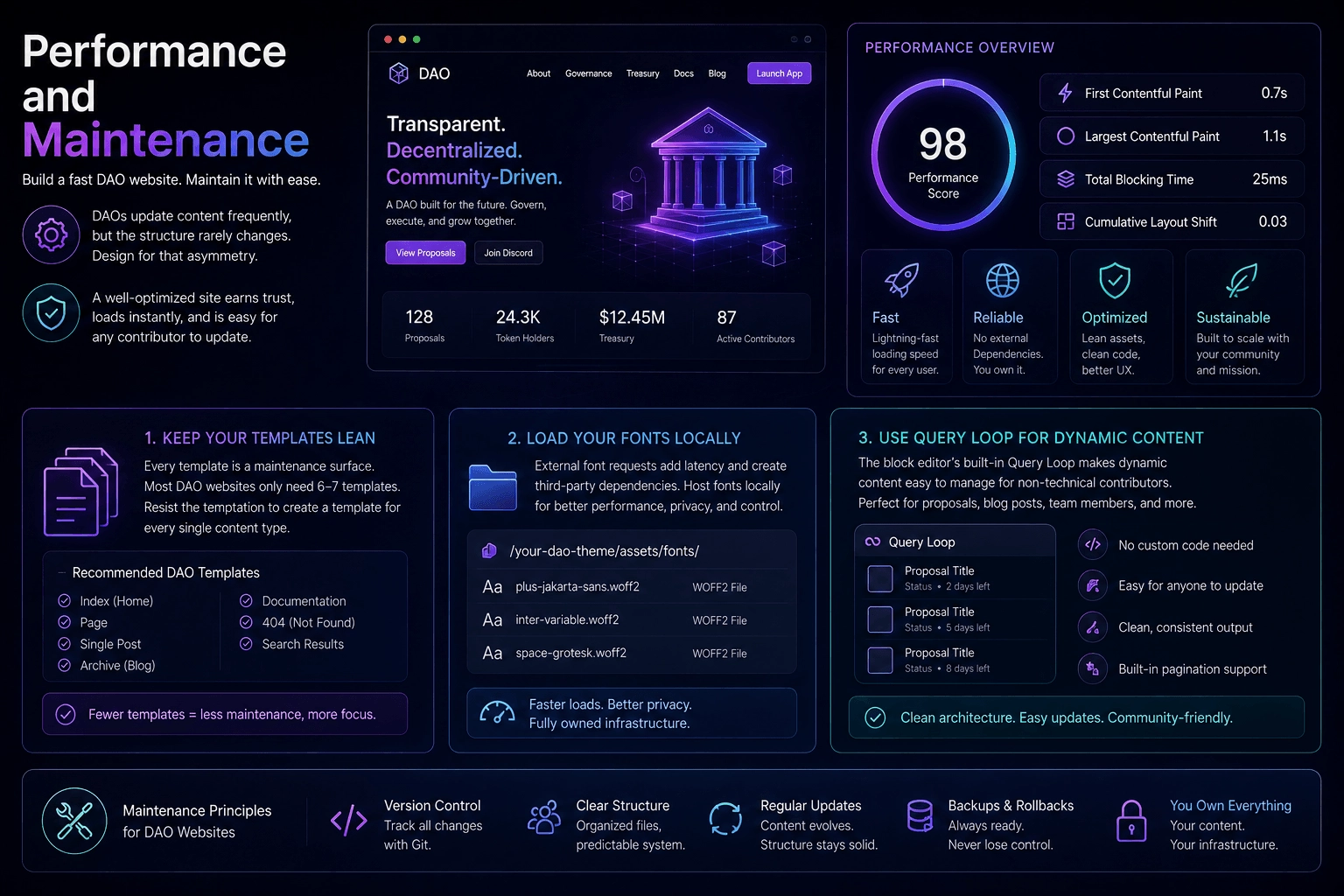
A DAO website has a different maintenance profile than a startup marketing site. The content changes frequently, but the structure changes rarely. Design for that asymmetry.
Keep your template count low. Every template is a maintenance surface. A DAO website can usually be built with six or seven templates that cover all cases — resist the temptation to create a separate template for every content type.
Load your fonts locally. External font requests add latency and create external dependencies that your community will eventually notice. Host your .woff2 files in your theme’s asset directory.
Use the block editor’s built-in query loop for any dynamic content — proposal feeds, blog posts, team member listings. This keeps your architecture clean and makes content updates accessible to non-technical contributors.
The Bottom Line
A DAO website built on WordPress Full Site Editing is fast, maintainable, genuinely ownable, and architecturally honest about what it is. The design lives in files that can be version controlled. The content is accessible to non-technical contributors. The infrastructure is yours.
For organizations built on the premise that ownership and transparency matter, the choice of how to run the public face of that organization is not a neutral technical decision. It’s a statement about whether the values expressed on-chain extend to how the DAO operates everywhere else.
Build the website the same way you’d build the protocol: with explicit specifications, separation of concerns, and infrastructure you actually control.