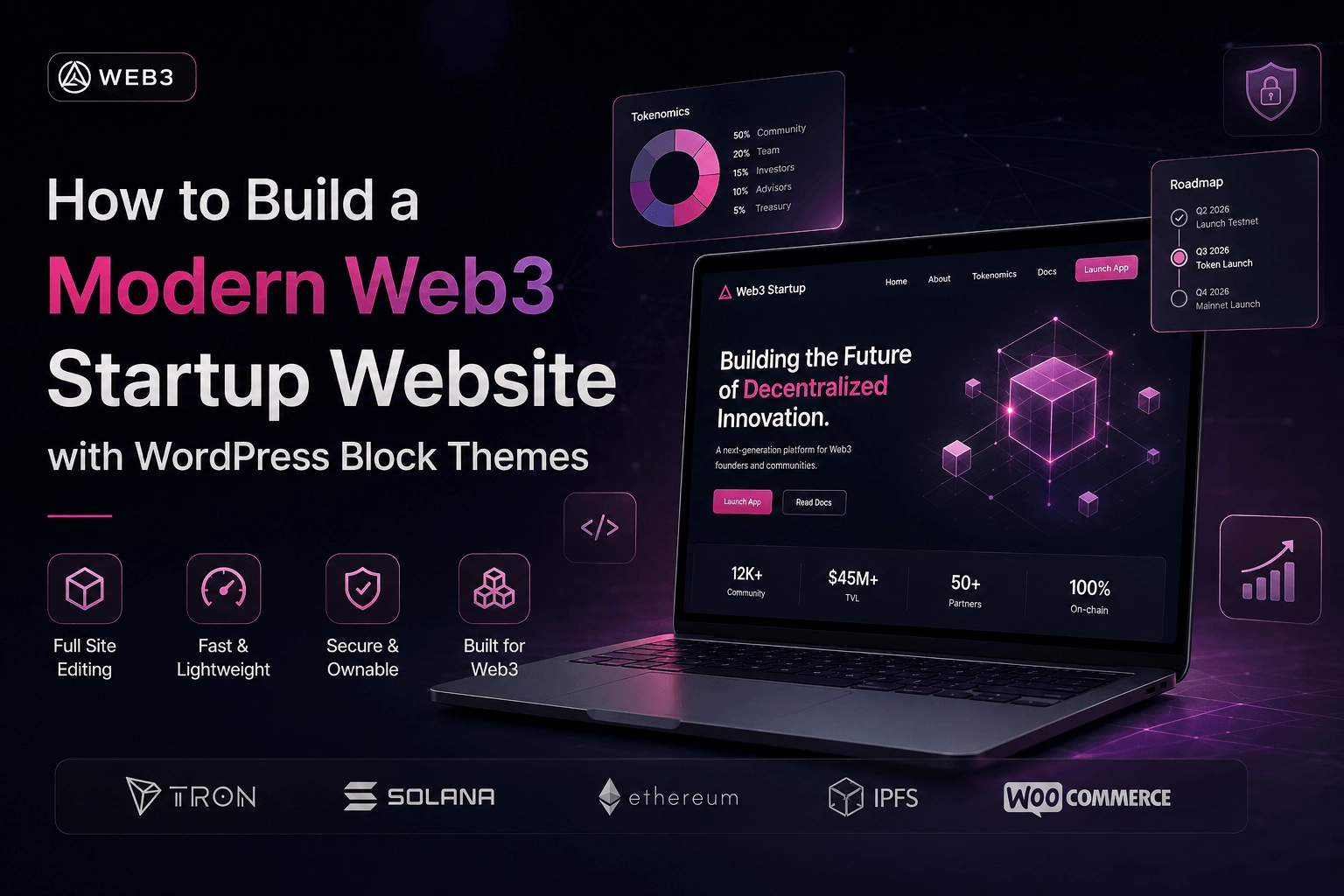
Most Web3 founders make the same mistake when it comes to their website: they overthink the stack.
They debate between custom React apps, headless CMSs, and Webflow — burning weeks on infrastructure decisions before they’ve written a single word of copy. Meanwhile, their potential users have no idea they exist.
Here’s the thing: a well-built WordPress Block Theme can give your Web3 startup a faster, more flexible, and more maintainable website than most custom solutions — at a fraction of the time and cost. This guide shows you exactly how to do it.
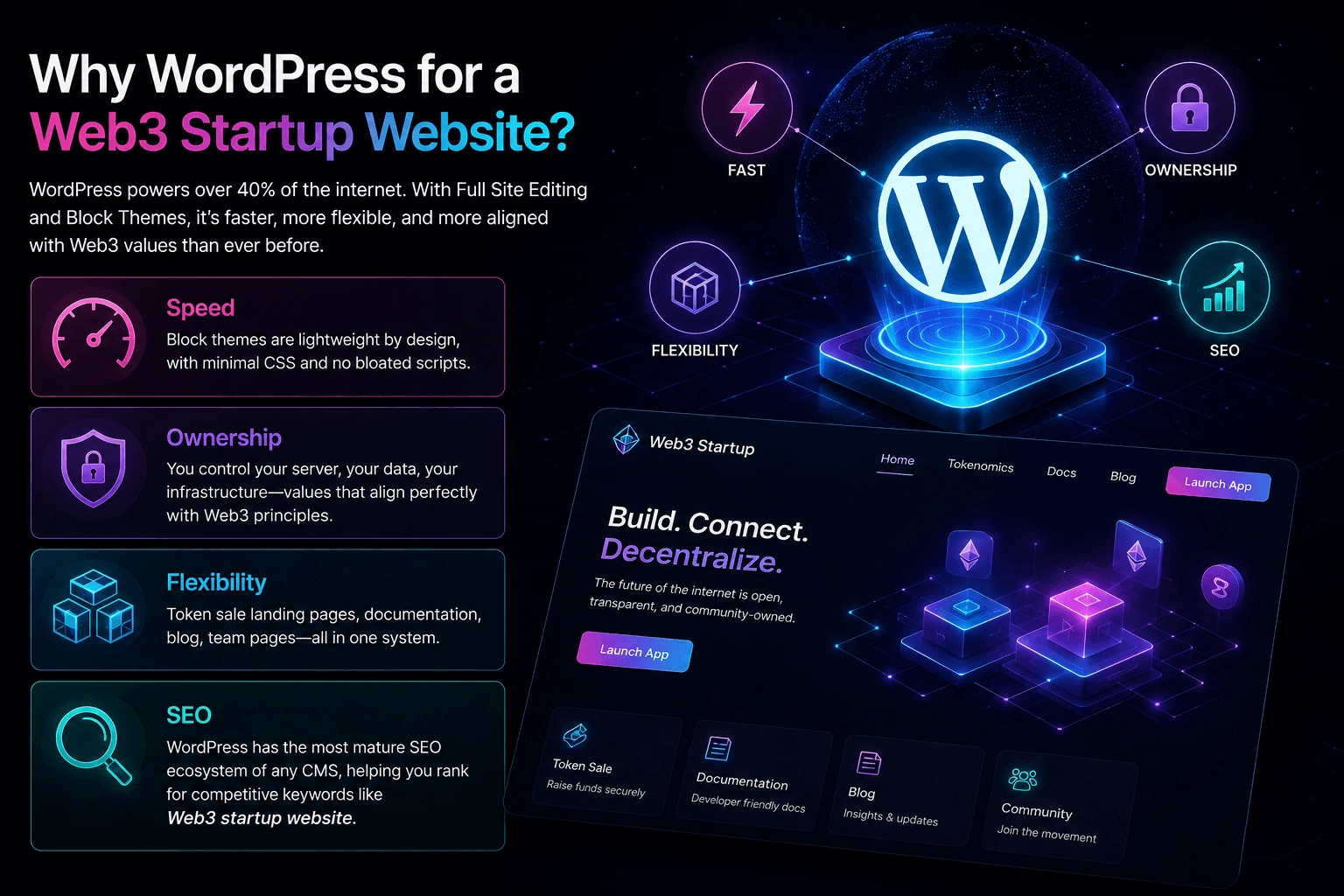
Why WordPress for a Web3 Startup Website?
This question comes up every time, so let’s address it directly.
WordPress powers over 40% of the internet. That’s not despite its flexibility — it’s because of it. And with the introduction of Full Site Editing (FSE) and Block Themes, the platform has fundamentally changed. You’re no longer fighting page builders or drowning in plugin dependencies. You’re working with a clean, component-based architecture that actually makes sense.
For a Web3 startup website specifically, WordPress gives you:
- Speed — Block themes are lightweight by design, with minimal CSS and no bloated scripts
- Ownership — You control your server, your data, your infrastructure — values that align perfectly with Web3 principles
- Flexibility — Token sale landing pages, documentation, blog, team pages — all in one system
- SEO — WordPress has the most mature SEO ecosystem of any CMS, which matters when you’re trying to rank for competitive keywords like Web3 startup website
What Is a WordPress Block Theme?
Before we get into the build, let’s clarify what we’re working with.
A Block Theme is a WordPress theme built entirely with blocks — the same editor blocks you use to write posts. Unlike classic themes that rely on PHP template files loaded with HTML, Block Themes use a system called Full Site Editing (FSE). This means your header, footer, templates, and page layouts are all editable directly from the WordPress admin — no code required for most changes.
The architecture looks like this:
your-theme/
├── templates/        ← page layouts (index, single, page, 404)
├── parts/            ← reusable sections (header, footer, sidebar)
├── patterns/         ← pre-built block layouts
├── styles/           ← color and typography variations
├── theme.json        ← global design settings
└── style.css         ← theme metadata + minimal CSS
This structure is clean, predictable, and — critically — version-controllable. Your entire site design lives in files you can track with Git.
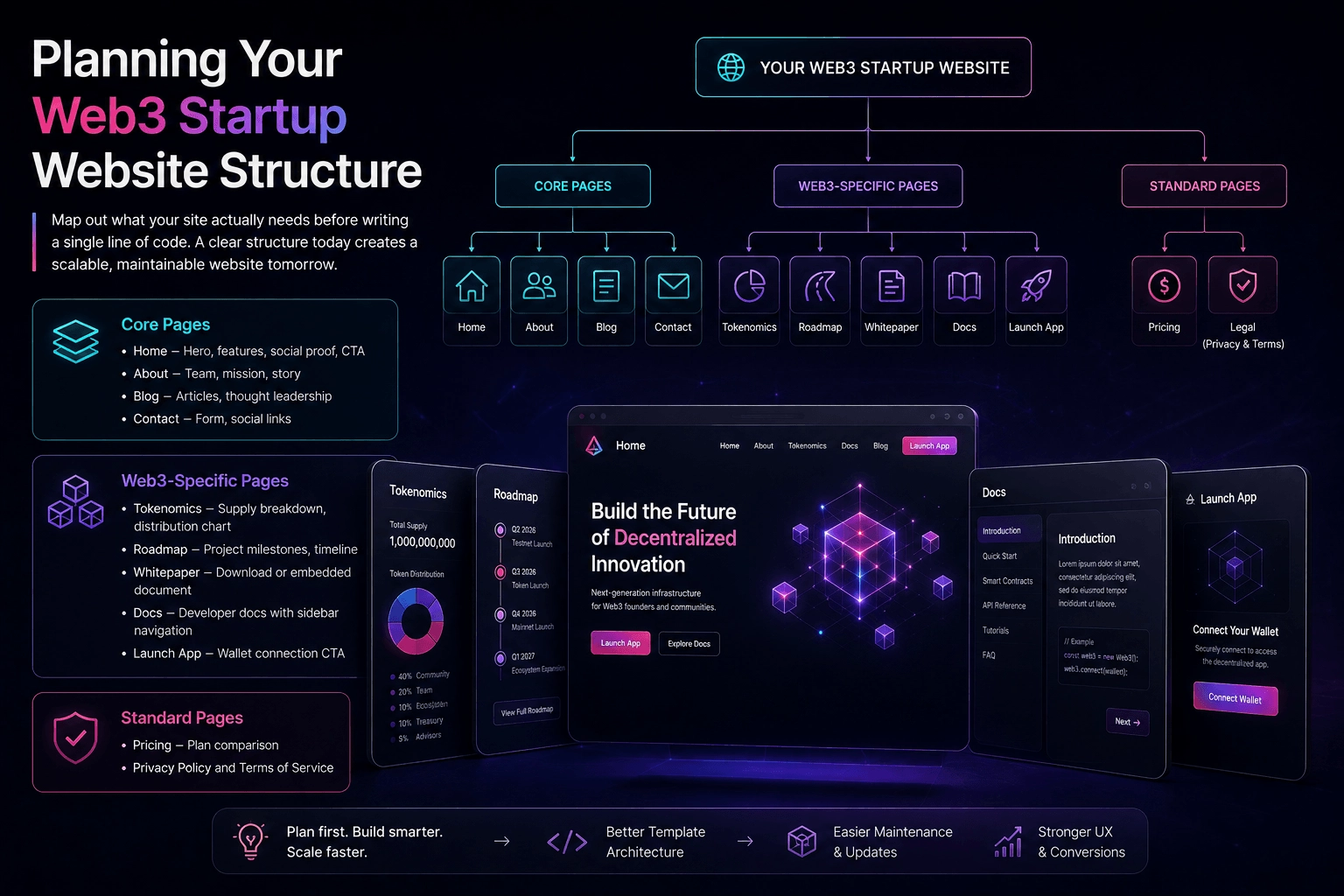
Planning Your Web3 Startup Website Structure
Before writing a single line of code, map out what your site actually needs. A typical Web3 startup website requires:
Core pages:
- Home — Hero section, features, social proof, CTA
- About — Team, mission, story
- Blog — Articles, thought leadership
- Contact — Form, social links
Web3-specific pages:
- Tokenomics — Supply breakdown, distribution chart
- Roadmap — Project milestones, timeline
- Whitepaper — Download or embedded document
- Docs — Developer documentation with sidebar navigation
- Launch App — Wallet connection CTA
Standard pages:
- Pricing — Plan comparison
- Privacy Policy and Terms of Service
Knowing this upfront shapes your template architecture. Each page type may need its own template — and that’s a decision you want to make early.
Setting Up Your Block Theme
Step 1: Choose Your Starting Point
You have two options: build from scratch or start with an existing block theme as a foundation.
Building from scratch gives you full control, but takes longer. Starting with a solid base theme lets you move faster. Either way, the file structure is the same.
For a Web3 startup website, you want a theme that’s dark-mode ready, typography-forward, and minimal by default. The more a theme does by default, the more you’ll fight to undo it.
Step 2: Define Your Design System in theme.json
Your theme.json file is where your entire design system lives. Get this right and everything else becomes easier.
{
  "settings": {
    "color": {
      "palette": [
        { "slug": "deep-black", "color": "#0A0101", "name": "Deep Black" },
        { "slug": "accent", "color": "#8C042E", "name": "Crimson" },
        { "slug": "text-primary", "color": "#D6D6D6", "name": "Platinum" }
      ]
    },
    "typography": {
      "fontFamilies": [
        { "slug": "body", "name": "Inter", "fontFamily": "Inter, system-ui, sans-serif" },
        { "slug": "heading", "name": "Plus Jakarta Sans", "fontFamily": "'Plus Jakarta Sans', sans-serif" }
      ]
    },
    "layout": {
      "contentSize": "50rem",
      "wideSize": "80rem"
    }
  }
}
Define your colors, fonts, spacing, and layout sizes here — once. Then reference them everywhere else using CSS variables WordPress generates automatically, like var(--wp--preset--color--deep-black).
Step 3: Build Your Template Parts
Template parts are the reusable building blocks of your site. Start with the essentials:
parts/header.html— Logo, navigation, CTA buttonparts/footer.html— Links, copyright, social icons
For a Web3 startup, your header needs a “Launch App” button that stands out — this is often the single highest-converting element on the page. Don’t bury it.
Step 4: Create Your Templates
Templates define what each page type looks like. The architecture that works best for Web3 startup websites separates the template from the design:
templates/page.html (one line):
<!-- wp:pattern {"slug":"your-theme/template-page"} /-->
patterns/template-page.php (the actual layout):
<?php
/**
 * Title: Default Page
 * Slug: your-theme/template-page
 * Template Types: page
 * Inserter: false
 */
?>
<!-- wp:template-part {"slug":"header","tagName":"header"} /-->
<!-- wp:group {"tagName":"main","layout":{"type":"constrained"}} -->
<main class="wp-block-group">
    <!-- wp:post-content {"layout":{"type":"constrained"}} /-->
</main>
<!-- /wp:group -->
<!-- wp:template-part {"slug":"footer","tagName":"footer"} /-->
This approach — borrowed from how the best block themes like Ollie are built — keeps your templates clean and your designs flexible.
Building the Key Pages
The Homepage
Your homepage is doing one job: converting a skeptical visitor into a curious one. For a Web3 startup website, the above-the-fold section needs to communicate three things in under five seconds:
- What you do
- Who it’s for
- What to do next
A split-screen hero works well here — headline and CTA on the left, a dashboard screenshot or product visual on the right. Below the fold, you add social proof (logos, numbers, testimonials), features, and a final CTA.
Resist the urge to explain blockchain technology on your homepage. Your audience either already understands it or doesn’t need to — what they need to understand is your specific product.
The Docs Page
Documentation is one of the most underrated pages on any Web3 startup website. Developers evaluate projects by their docs before they evaluate the product itself. A well-structured docs page signals that your team is serious.
Build it with a sticky sidebar for navigation and a clean content area. Use WordPress template parts for the sidebar, navigation, and feedback components — this keeps the structure modular and easy to update as your documentation grows.
The Tokenomics Page
If your project has a token, this page matters more than most founders realize. Investors, developers, and community members will all land here to evaluate your project’s economic design.
Keep it honest and visual. Use charts for distribution, a clear table for release schedules, and plain language for the utility explanation. If you need three paragraphs to explain what your token does, the tokenomics probably need more work.
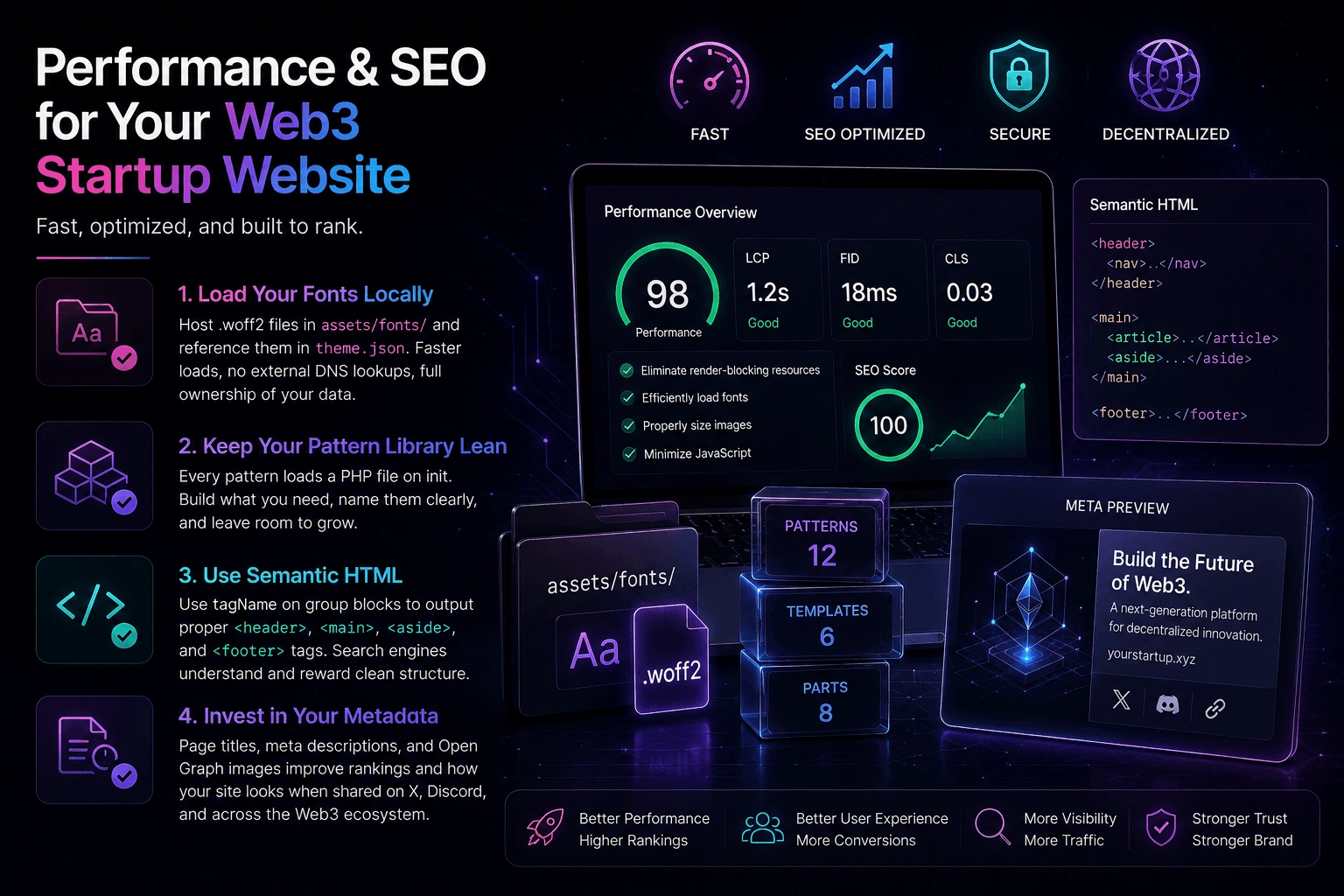
Performance and SEO for Your Web3 Startup Website
Block themes are fast by default, but there are a few things worth paying attention to.
Load your fonts locally. Don’t pull from Google Fonts. Host your .woff2 files in your theme’s assets/fonts/ directory and reference them in theme.json. This eliminates an external DNS lookup on every page load and keeps your data off third-party servers — a principle your Web3 audience will appreciate.
Keep your pattern library lean. Every pattern you register loads its PHP file on init. You don’t need 80 patterns for a startup website. Build what you need, name them clearly, and leave room to grow.
Use semantic HTML. Block themes make this easier than classic themes — tagName attributes on group blocks let you output proper <header>, <main>, <aside>, and <footer> tags. Search engines understand this structure and reward it.
Invest in your metadata. Page titles, meta descriptions, and Open Graph images matter for a Web3 startup website because a significant portion of your traffic will come from Twitter/X shares and Discord links. When someone shares your link, the preview card is often the first impression.
The Bottom Line
Building a Web3 startup website with WordPress Block Themes isn’t a compromise — it’s a considered technical decision. You get a system that’s fast, flexible, version-controlled, and genuinely ownable in a way that aligns with the values your product is probably built on.
The best Web3 startups understand that trust is built in layers. Your smart contracts need to be audited. Your tokenomics need to be transparent. And your website needs to communicate competence from the first second someone lands on it.
A well-built block theme does exactly that.